Starter Site Walkthrough
The Merchello.Site project is a working example store that shows you how to build a storefront with Merchello. Whether you used the .NET template or cloned the repo, this guide walks you through every piece so you understand how it all fits together.
Video Walkthrough
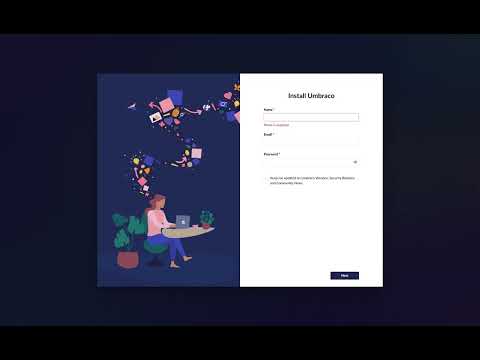
Watch this quick video to see the starter site in action, including how to install the content using uSync:
Overview
The starter site is deliberately simple -- it is a bare-bones example showing the key integration points. It uses Umbraco's standard MVC patterns (route hijacking via SurfaceController paired with a matching Umbraco document type) and demonstrates:
- Rendering a homepage with best-selling products
- A category page with filtering, sorting, and pagination
- A basket/cart page
- Product detail pages (handled by Merchello's built-in routing via
ProductContentFinder)
Source: src/Merchello.Site. The entry point is Program.cs (a vanilla Umbraco host with .AddMerchello() added to the builder pipeline).
First Run: 15-Minute Flow
dotnet runand complete the Umbraco install wizard.- In the backoffice, enable the Merchello section on your user group (Settings > User Groups > Allowed Sections).
- Run the uSync dashboard import to load the sample document types and content tree from uSync/v17.
- Open the Merchello section, click the root node, and click Install Seed Data. This populates products, warehouses, suppliers, customers, and sample invoices (see Seed Data).
- Browse the homepage --
HomeControllerrenders best sellers pulled fromIReportingService. - Click a category (e.g. "Clothing") --
CategoryControllerrenders a filtered, paged product grid. - Click a product -- the URL (e.g.
/mesh-office-chair) is resolved byProductContentFinderwith no Umbraco content node required. - Add to basket and visit
/checkout-- the integrated Shopify-style checkout handles payment via the seeded Manual Payment provider.
Project Layout
Merchello.Site/
  Home/
    Controllers/HomeController.cs
    Models/Home.cs                # partial class adding BestSellers
  Basket/
    Controllers/BasketController.cs
    Models/Basket.cs              # partial (ViewBag used for data)
  Category/
    Controllers/CategoryController.cs
    Models/Category.cs            # partial with ViewModel property
    Models/CategoryPageViewModel.cs
  Shared/
    Controllers/BaseController.cs
  Views/
    Home.cshtml
    Basket.cshtml
    Category.cshtml
    Website.cshtml              # Layout
    Products/
      Default.cshtml            # Product detail
      Partials/
        _ProductGallery.cshtml
        _ProductPurchasePanel.cshtml
        _ProductUpsells.cshtml
The Base Controller
All site controllers inherit from BaseController (Shared/Controllers/BaseController.cs), which extends Umbraco's SurfaceController and implements IRenderController:
public class BaseController(
    IUmbracoContextAccessor umbracoContextAccessor,
    IUmbracoDatabaseFactory databaseFactory,
    ServiceContext services,
    AppCaches appCaches,
    IProfilingLogger profilingLogger,
    IPublishedUrlProvider publishedUrlProvider)
    : SurfaceController(/* ... */), IRenderController
{
    protected ActionResult CurrentTemplate<T>(T model, string viewName = "")
    {
        if (string.IsNullOrEmpty(viewName))
        {
            viewName = ControllerContext.RouteData.Values["action"]?.ToString();
        }
        return View(viewName, model);
    }
}
This gives you Umbraco's route hijacking -- when a content node uses a document type, the matching controller action is called automatically. The CurrentTemplate helper resolves the correct view.
HomeController
The homepage shows best-selling products using Merchello's reporting service. Source: Home/Controllers/HomeController.cs.
public class HomeController(
    /* Umbraco dependencies */,
    IReportingService reportingService)
    : BaseController(/* ... */)
{
    public async Task<IActionResult> Home(Home model)
    {
        model.BestSellers = await reportingService.GetBestSellersAsync(take: 8);
        return CurrentTemplate(model);
    }
}
Key points:
- The controller injects
IReportingServicefrom Merchello GetBestSellersAsync(take: 8)queries the top 8 best-selling products by order volume (ranked by paid-order line quantity)- The model is the Umbraco published content model
Home. TheBestSellersproperty is defined on the partial class in Home/Models/Home.cs asList<Merchello.Core.Products.Models.Product>.
BasketController
The basket page loads the customer's current basket and maps it for display. Source: Basket/Controllers/BasketController.cs.
public class BasketController(
    IOptions<MerchelloSettings> options,
    ICheckoutService checkoutService,
    IStorefrontContextService storefrontContext,
    IStorefrontDtoMapper storefrontDtoMapper,
    /* Umbraco dependencies */)
    : BaseController(/* ... */)
{
    public async Task<IActionResult> Basket(Basket model, CancellationToken cancellationToken)
    {
        var basket = await checkoutService.GetBasket(
            new GetBasketParameters(), cancellationToken);
        var displayContext = await storefrontContext.GetDisplayContextAsync(cancellationToken);

        if (basket == null || basket.LineItems.Count == 0)
        {
            ViewBag.BasketData = storefrontDtoMapper.MapBasket(
                null, displayContext, _settings.CurrencySymbol);
        }
        else
        {
            var availability = await storefrontContext
                .GetBasketAvailabilityAsync(basket.LineItems, ct: cancellationToken);
            ViewBag.BasketData = storefrontDtoMapper.MapBasket(
                basket, displayContext, _settings.CurrencySymbol, availability);
        }

        return CurrentTemplate(model);
    }
}
Key concepts:
ICheckoutService.GetBasket()retrieves the current customer's basket from their session viaGetBasketParametersIStorefrontContextService.GetDisplayContextAsync()provides display information (currency symbol, exchange rate, tax settings, decimal places)IStorefrontDtoMapper.MapBasket()converts the basket into a display-ready DTO with formatted prices- Availability check --
GetBasketAvailabilityAsync()verifies stock and shipping availability for each line item
Tip: The display context is the single source of truth for multi-currency conversion and tax-inclusive display. Do not recompute these yourself -- always read from the display context. Basket amounts remain in store currency; display uses
amount * rate, checkout/payment usesamount / rate. See Multi-Currency Overview.
CategoryController
The category page demonstrates querying products with filtering, sorting, and pagination. Source: Category/Controllers/CategoryController.cs and Category/Models/CategoryPageViewModel.cs.
public class CategoryController(
    /* Umbraco dependencies */,
    IProductService productService,
    IProductFilterService productFilterService)
    : BaseController(/* ... */)
{
    private const int PageSize = 12;

    public async Task<IActionResult> Category(
        Category model,
        [FromQuery] List<Guid>? filterKeys = null,
        [FromQuery] decimal? minPrice = null,
        [FromQuery] decimal? maxPrice = null,
        [FromQuery] ProductOrderBy orderBy = ProductOrderBy.PriceAsc,
        [FromQuery] int page = 1)
    {
        // Get the collection from the Umbraco property
        var collections = model.Value<IEnumerable<ProductCollection>>("collection");
        var collection = collections?.FirstOrDefault();

        if (collection == null)
        {
            model.ViewModel = new CategoryPageViewModel();
            return CurrentTemplate(model);
        }

        // Get price range for slider bounds
        var priceRange = await productService.GetPriceRangeForCollection(collection.Id);

        // Build query
        var parameters = new ProductQueryParameters
        {
            CollectionIds = [collection.Id],
            FilterKeys = filterKeys,
            MinPrice = minPrice,
            MaxPrice = maxPrice,
            OrderBy = orderBy,
            CurrentPage = page,
            AmountPerPage = PageSize,
            NoTracking = true,
            AvailabilityFilter = ProductAvailabilityFilter.Available
        };

        var products = await productService.QueryProducts(parameters);
        var filterGroups = await productFilterService
            .GetFilterGroupsForCollection(collection.Id);

        model.ViewModel = new CategoryPageViewModel
        {
            Products = products,
            FilterGroups = filterGroups,
            SelectedFilterKeys = filterKeys ?? [],
            CollectionId = collection.Id,
            // ... price range, sort, pagination
        };

        return CurrentTemplate(model);
    }
}
Key concepts:
- Collections are linked to Umbraco content via an Umbraco property picker (the
"collection"property) using Merchello'sProductCollectionpicker data type ProductQueryParametersis a flexible query object supporting collection filtering, price ranges, product filters, sorting, and pagination -- prefer this one query method over narrowly named helpersProductOrderBysupportsPriceAsc,PriceDesc,NameAsc,NameDesc, and moreProductAvailabilityFilter.Availableensures only in-stock, purchasable products are returned- Filter groups (
IProductFilterService.GetFilterGroupsForCollection()) returns only filters relevant to products in this collection, so you do not show empty filter options
Product Pages
Product pages are different from the other pages -- they do not need an Umbraco content node. Merchello handles product routing automatically.
When a request comes in for a URL like /mesh-office-chair, Merchello's ProductContentFinder looks up the ProductRoot by its RootUrl. If found, it creates a MerchelloPublishedProduct (a virtual IPublishedContent) and MerchelloProductController renders the view selected by the root's ViewAlias (defaulting to Default.cshtml).
You do not write a controller for product pages. Instead, you create Razor views in ~/Views/Products/ -- the location is controlled by the ProductViewLocations config key (Configuration Reference). See the Product Routing and Building Product Views guides for full details.
The starter site includes Views/Products/Default.cshtml which demonstrates:
- Image gallery with variant-specific images (_ProductGallery.cshtml)
- Price display with tax and multi-currency support via
IStorefrontContextService.GetDisplayContextAsync() - Variant option selectors (color swatches, size dropdowns) in _ProductPurchasePanel.cshtml
- Add-on options (
IsVariant = false) withPriceAdjustmentandSkuSuffix - Stock availability display via
GetProductAvailabilityAsync - Post-purchase upsells via _ProductUpsells.cshtml
- Schema.org structured data and SEO meta tags
- Add-to-cart wired to the storefront basket API
Views
Website.cshtml (Layout)
Views/Website.cshtml wraps all pages with a consistent header, navigation, and footer. All page views reference it via Layout = "Website.cshtml".
Home.cshtml
Views/Home.cshtml renders the homepage content and loops through Model.BestSellers to show product cards (via the ProductBox view component).
Basket.cshtml
Views/Basket.cshtml reads the basket data from ViewBag.BasketData (set by BasketController) and renders line items with quantities, prices, and a checkout link.
Category.cshtml
Views/Category.cshtml uses the CategoryPageViewModel to render a product grid with sidebar filters (color, size, etc.), price range slider, sort dropdown, and pagination.
How to Extend
The starter site is a starting point, not a finished store. Common ways to extend it:
- Add new page types -- create new Umbraco document types and matching controllers that inject Merchello services (follow the pattern in
HomeController/CategoryController). - Customize product views -- create new
.cshtmlfiles in~/Views/Products/and set theViewAliason product roots in the backoffice. - Add customer pages -- inject
ICustomerServiceto build account pages with order history. - Style the checkout -- the integrated checkout reads theme tokens from the
Merchello:Checkoutconfiguration section (see Configuration Reference). - Override order grouping -- set
OrderGroupingStrategyin config or implementIOrderGroupingStrategyand register it. See Custom Order Grouping.
Controller rule: Site controllers orchestrate HTTP and delegate to Merchello services. Never access
DbContextdirectly, and never duplicate business math (basket totals, tax, shipping cost, payment status) -- always call the designated service. See the invariants in the project rules.
Next Steps
- Product Routing -- how products render without content nodes
- Building Product Views -- creating custom product templates
- Products Overview -- understand the product data model
- Checkout Flow -- what
/checkoutdoes after the basket